Rooms and reservations
Manage properties, room types, rates and availability alongside reservations, group blocks and corporate booking information.
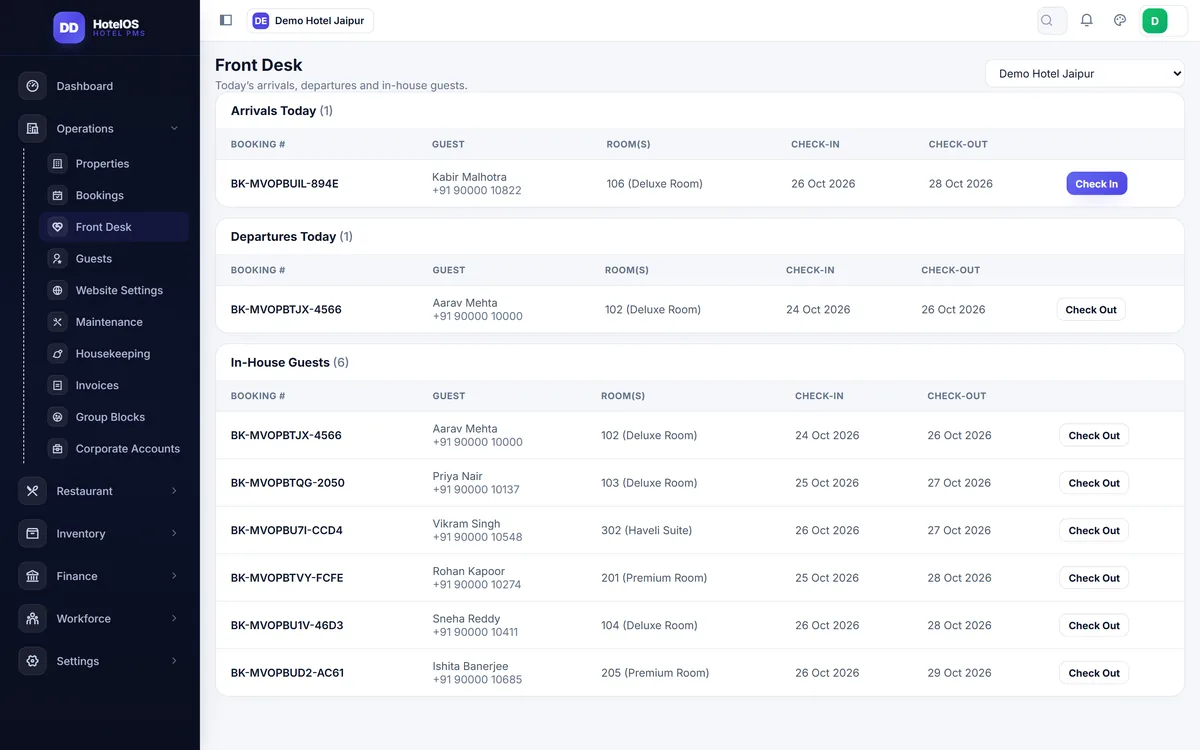
Give the desk a connected view of the booking and the room it needs.
Take the booking, check the guest in, post restaurant bills to the room and close the account in HotelOS.
Rooms, reservations, restaurant operations and finance connected around the property.
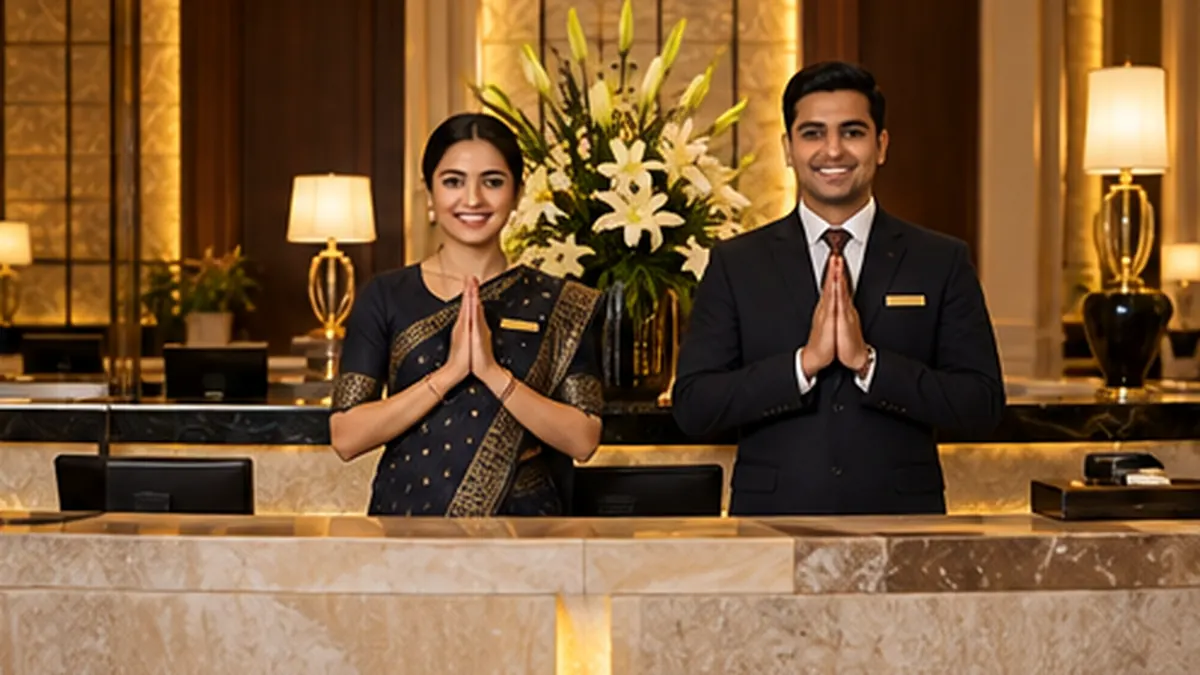
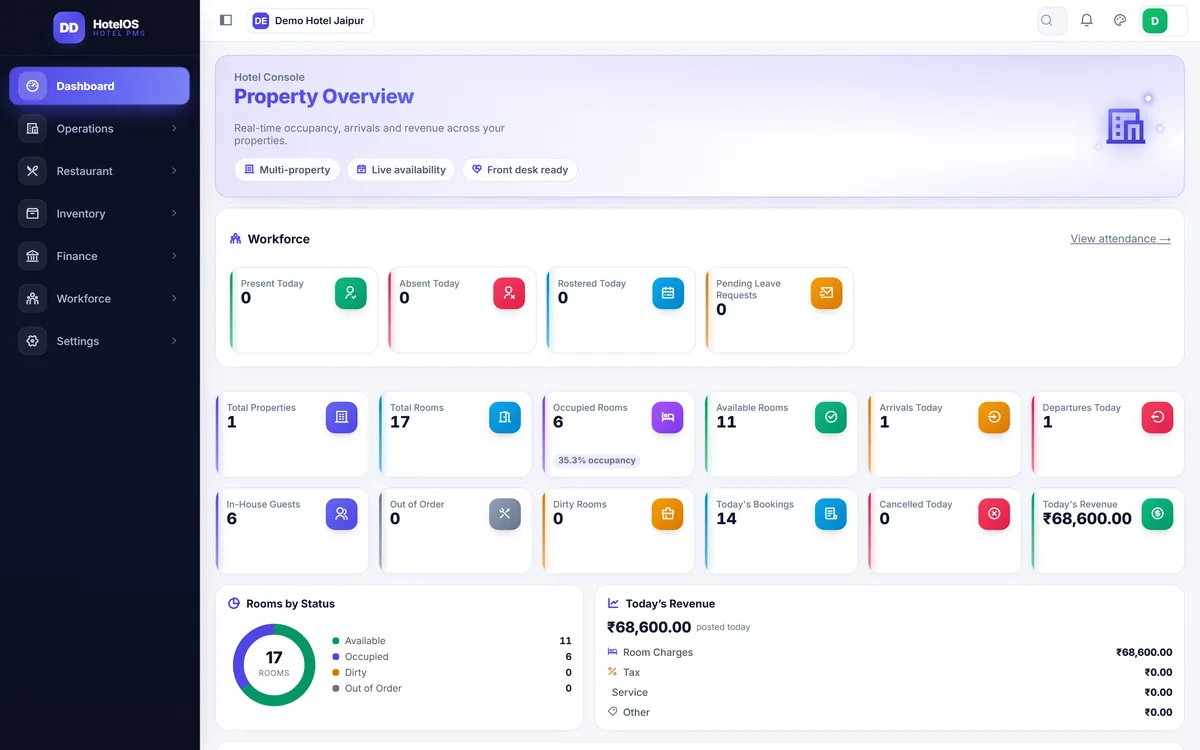
The property works as one business even when its departments use different routines. HotelOS connects reservations, front desk, housekeeping, restaurant POS and accounts, giving each team its role in the guest stay.
Manage properties, room types, rates and availability alongside reservations, group blocks and corporate booking information.
Give the desk a connected view of the booking and the room it needs.
Work with outlet POS, modifiers, discounts, a kitchen display and QR table ordering. POS checkout can include a room charge.
Carry an eligible restaurant charge into the guest stay instead of retyping it.
Accounts, journals, bank reconciliation and reports work alongside property activity. Role-based access and an audit log support departmental responsibilities.
Review operational transactions and their financial record in the same system.
Screens from a HotelOS demo property. Guests, bookings and amounts are sample data.
Independent hotels, hospitality teams and groups running properties with several outlets.
A guest stay crosses the desk, housekeeping, outlets and accounts. HotelOS keeps those departments around the reservation and folio, with modules selected for the way the property operates.
Select Hotel PMS, Restaurant POS, Inventory, Accounting or Website during business setup. The chosen modules shape what your team works with.
Add properties, room types, rooms, rate plans and outlets. Review guest charges and room-status handovers using representative examples.
Set up roles for the desk, housekeeping, outlets and finance. Introduce the daily workflow and review its reports with the people who use them.
The comparison below describes a manual or fragmented process. It makes no claim about another vendor. Use it to identify the handover you want to improve in your own team.
| What to review | Manual or fragmented workflow | The D&D HotelOS approach |
|---|---|---|
| Rooms and reservations | Check availability, rate notes and reservations in separate records. | Manage properties, room types, rates and availability alongside reservations, group blocks and corporate booking information. |
| Restaurant POS and kitchen work | Carry the restaurant order and eligible room charge between systems. | Work with outlet POS, modifiers, discounts, a kitchen display and QR table ordering. POS checkout can include a room charge. |
| Finance and operational oversight | Reconcile operational summaries with a separate accounts record. | Accounts, journals, bank reconciliation and reports work alongside property activity. Role-based access and an audit log support departmental responsibilities. |
Pricing is scoped to the modules, properties, outlets, users and setup work. Request a property-specific quote rather than assuming every hotel needs the same package.
Request a scoped quoteA few practical details about home and the way D&D HotelOS approaches it.
Manage properties, room types, rates and availability alongside reservations, group blocks and corporate booking information.
Work with outlet POS, modifiers, discounts, a kitchen display and QR table ordering. POS checkout can include a room charge.
Select Hotel PMS, Restaurant POS, Inventory, Accounting or Website during business setup. The chosen modules shape what your team works with. A representative example is more useful than a full data export at the first enquiry.
Pricing is scoped to the modules, properties, outlets, users and setup work. Request a property-specific quote rather than assuming every hotel needs the same package.
Add properties, room types, rooms, rate plans and outlets. Review guest charges and room-status handovers using representative examples. Use the walkthrough to identify the relevant controls and open questions before agreeing the scope.
Give the desk a connected view of the booking and the room it needs. Start with a focused enquiry and a walkthrough of the relevant work.
For Run the property around one connected guest record | D&D HotelOS, ask HotelERP to name the deliverables, inputs, exclusions, timeline and acceptance point in writing. This keeps a broad service description from being mistaken for a final commitment.
The request may name the service but leave the current situation, responsible users, dependencies, timing and commercial boundary unclear.
The brief records the intended outcome, safe reference, itemised scope, open questions, responsibilities, exclusions and next action.
Proof before commitment
Use this review to connect d&d hotelos — hotel management software for rooms, f&b & finance with a real requirement, the evidence available today and the result your team needs to evaluate.
Ask HotelERP for the most relevant current example, workflow or supporting material available for your requirement. Confirm scope and applicability before relying on any claim.
Define the starting point, review the proposed approach and agree how the next decision will be measured.
A useful case study shows the starting situation, chosen scope, delivery conditions and verified outcome. Use that structure when you ask for a relevant example.
Ask for a relevant example →